
TTM Account Setup & Password Reset
Background
A TTM account is created for each team when the team registers for an LCMHL website account using the league’s online form. The coach and manager are both set up with TTM accounts based on the email addresses provided in the form.
Unlike LCMHL GameCentral accounts, TTM credentials are not automatically emailed to coaches and managers. Instead, accounts are created by your association registrar or your TTM administrator.
Instructions
Access District 4’s TTM login page by clicking the link below:
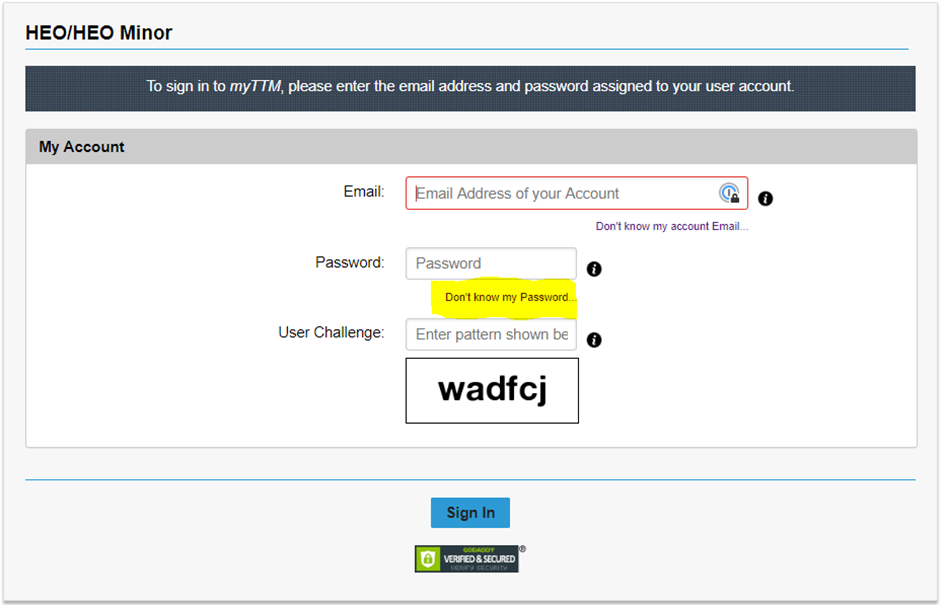
At the login page, click the “Don’t know my Password” link located below the password field.
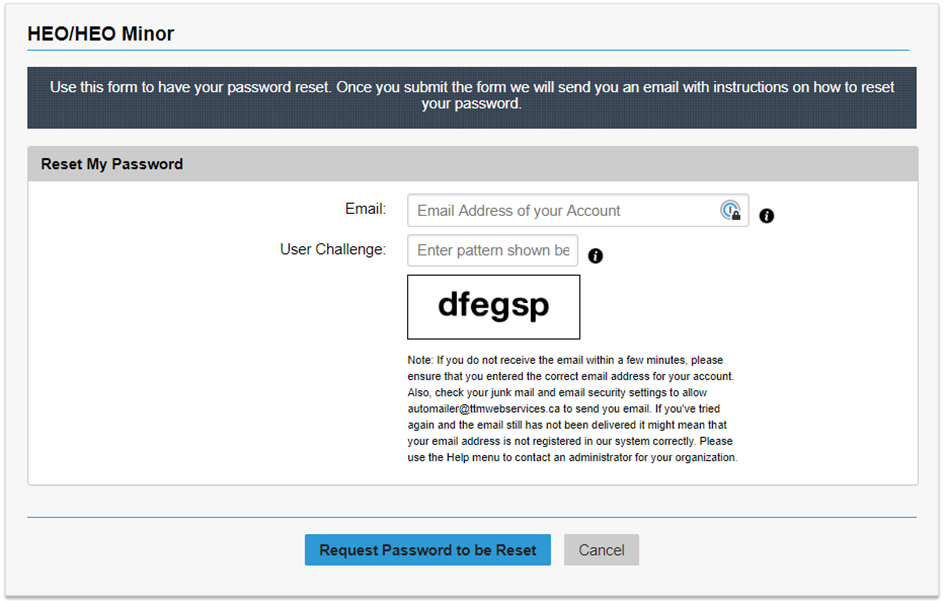
On the Reset My Password page, enter the email address that was used in the LCMHL online form when registering your team account. Complete the User Challenge, then click Request Password to be Reset.
A confirmation message will appear at the top of the screen indicating that your password reset email has been sent.

Within a short time, you will receive an email containing a link that allows you to set your new password. After completing this step, you will be able to log in normally from the TTM login page.